Results
Client update under Linux
Precondition
-
Emergency Boot System V04.70.05.00
-
SINUMERIK Operate 4.5 SP4
- OR - -
SINUMERIK Operate 4.7 SP2
- OR - -
SINUMERIK Operate 4.9x
Procedure
-
Copy the "sinintclient.tgz" file to the USB flash drive.
-
Insert the USB flash drive into the NCU.
-
Start the NCU.
-
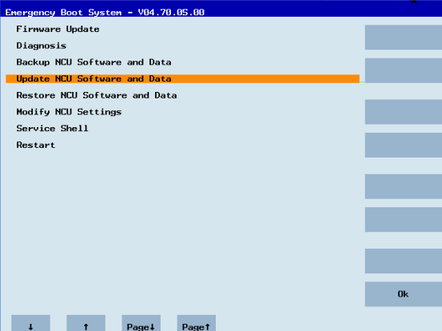
In the menu, select "Update NCU Software and Data" with the cursor keys and press the "OK" softkey.
-
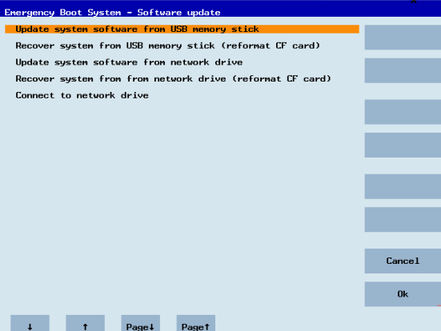
In the menu, select "Update system software from USB memory stick" with the cursor keys and press the "OK" softkey.
-
You receive a list with all tgz files.
Select the current file.
Press the "OK" softkey to confirm your selection.
- OR -
Press the shortcut key <Shift> + <F8> on the operator panel.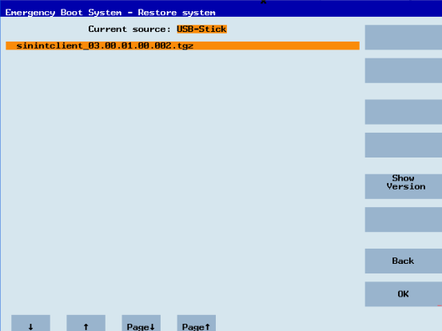
-
The selected file is displayed.
Press the "OK" softkey to confirm your selection.
- OR -
Press the shortcut key <Shift> + <F8> on the operator panel.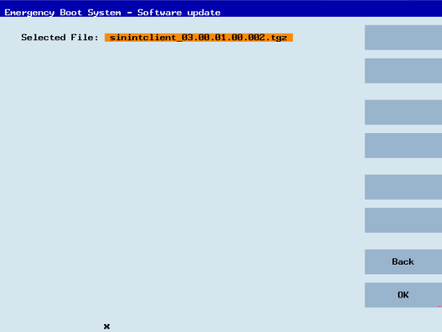
-
A confirmation prompt appears.
Press the "OK" softkey to confirm the confirmation prompt.
- OR -
Press the shortcut key <Shift> + <F7> on the operator panel.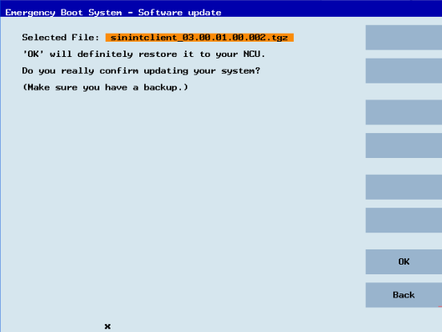
-
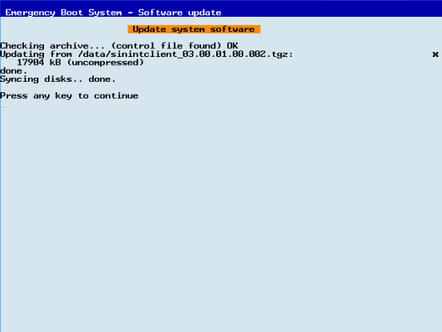
The installation is started.
-
When the installation has been completed, the following message appears.
Remove the USB flash drive.
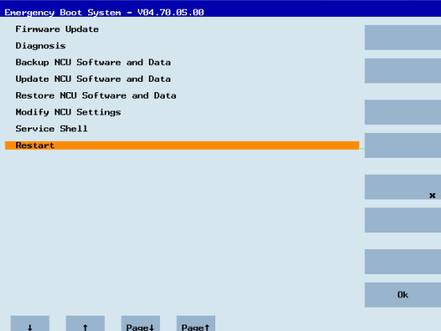
Select "Restart" from the menu and press the "OK" softkey.