Overview of Sinumerik protocol for MindConnect IoT2040
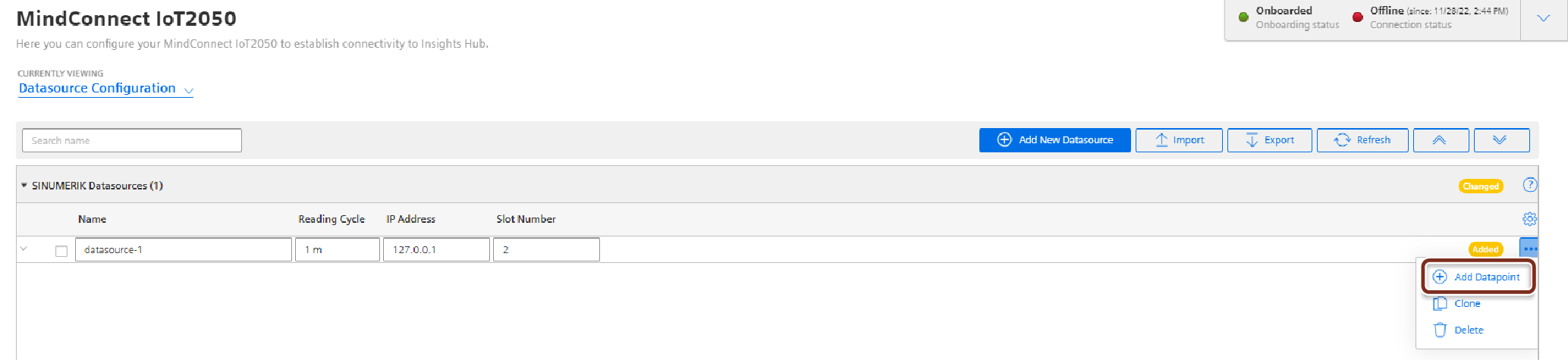
The following image shows the data source input window for the Sinumerik protocol:

Note
The supported device types are S7 SINUMERIK, example S7 840D sl.
In order to connect a Sinumerik device, you need to select the Sinumerik protocol and enter the following data source parameters:
| Parameter | Description |
|---|---|
| IP Address | IP address of the device. |
| Slot Number | Choose the correct slot number, where the “NC unit” of the device is mounted. |
Sinumerik data point parameter
The following image shows the data point parameter window:
The following table shows the parameter of the Sinumerik data point window:
| Parameter | Description |
|---|---|
| Datapoint Address | Peripheral address strings in WinCC OA must be entered in a symbolic manner using the Siemens BTSS format. Examples: S7Conn1./Nck/Spindle/speedOvr[1], NCK2.@SinumerikErrors@ |
| Type | The following datapoint types are supported: - int, - long, - double, - boolean, - string |
| Type Transformation | For the above datatypes, the following transformation types are available (see also table below): - int: INT16, INT32, UINT16, UINT32, BYTE; - long: INT16, INT32, UINT16, UINT32, BYTE, DATETIMELONG; - double: FLOAT, DATETIMELONG; - boolean: BIT; - string: STRING, DATETIMELONG, BLOB |
| Data Acquisition Mode | The following modes are supported: - READ, - WRITE, - READ and WRITE |
The following table shows the transformation type of the Sinumerik data point window:
| Transformation type | Description |
|---|---|
| UNDEFINED | Default |
| INT16 | 16 Bit Integer signed |
| INT32 | 32 Bit Integer signed |
| UINT16 | 16 Bit Integer unsigned |
| BYTE | Byte |
| FLOAT | Floating-point value |
| BIT | Boolean |
| STRING | Text |
| UINT32 | 32 Bit Integer unsigned |
| DATETIME | Date/Time variable (used for S7 300 and S7 400 models) |
| BLOB | Blob |
| BITSTRING | Bit pattern |
| DATETIMELONG | Date/Time variable (used for S7 1200 models) |
Last update: January 22, 2024