Overview of SIMATIC I/O Shield for MindConnect IoT2050
SIMATIC I/O Shield device has been plugged-in to MindConnect IoT2050 and set up according to I/O Shield operating instructions. Analog and digital input signals are connected to SIMATIC I/O Shield connectors.
You can find more information about the SIMATIC I/O Shield Modul in the SIMATIC IOT IOT2000 Extension Modules manual. The following picture shows the SIMATIC IOT2000 Input/output Module:
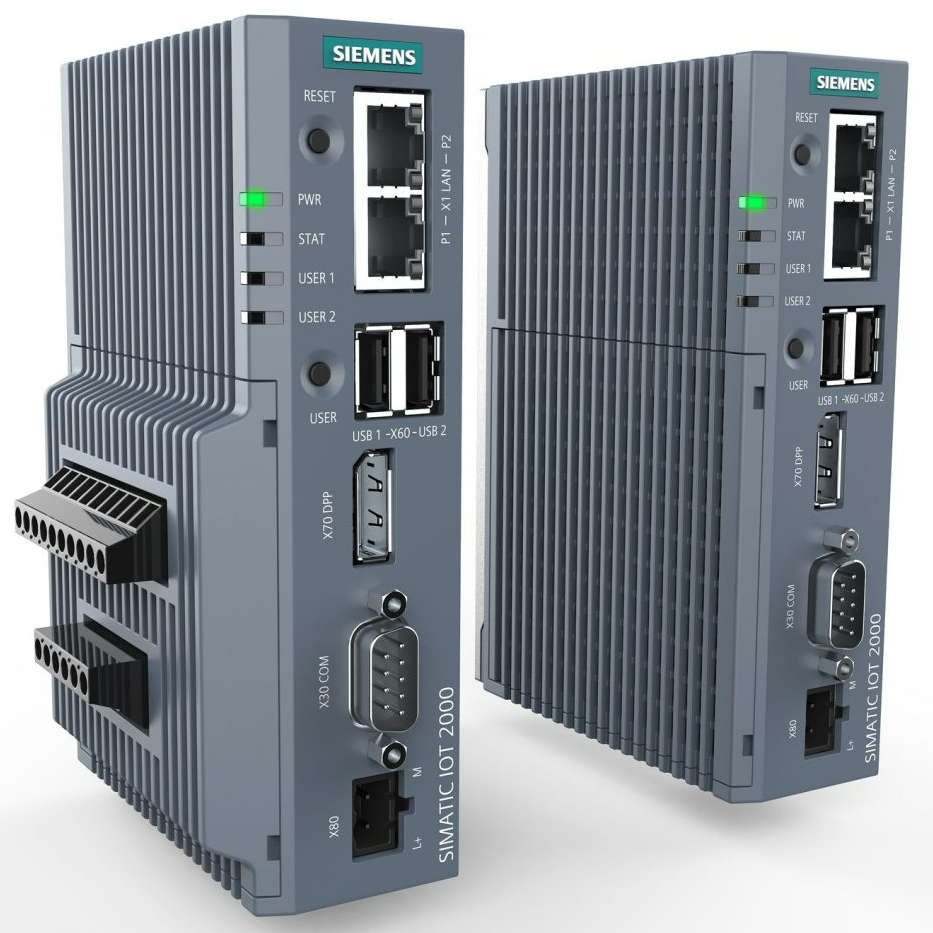
You can select the protocol type SIMATIC I/O Shield while adding a new data source in Asset Manager.
The following picture shows the protocol selection in Asset Manager:

After selecting the protocol you can enter the parameter Name, Description and Reading Cycle.
SIMATIC I/O Shield data point parameter
In order to collect the data of your SIMATIC I/O Shield device, you must add new data points.
The following image shows the data point parameter window:
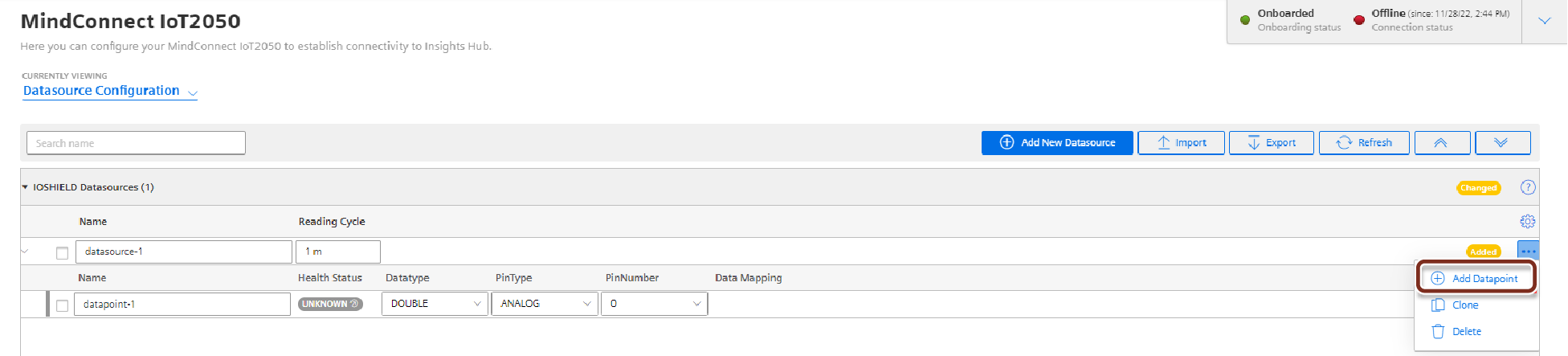
The signal that has to be recorded can be configured by specifying pin type (analog/digital) and the pin number as it is printed on SIMATIC I/O shield device. For the analog inputs, the read value corresponds to a percentage value between 0 and 1. The percentage value refers to the permissible voltage range between 0-10 V. The read value must be converted accordingly for the connected sensor.
Following inputs can be chosen:
| Input | Pin type | Pin number | Recommended data type |
|---|---|---|---|
| AI0 | Analog | 0 | DOUBLE |
| AI1 | Analog | 1 | DOUBLE |
| AI2 | Analog | 2 | DOUBLE |
| AI3 | Analog | 3 | DOUBLE |
| DI0 | Digital | 0 | BOOLEAN |
| DI1 | Digital | 1 | BOOLEAN |
| DI2 | Digital | 2 | BOOLEAN |
| DI3 | Digital | 3 | BOOLEAN |
| DI4 | Digital | 4 | BOOLEAN |